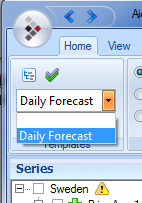
To avoid marking the same series every time you want to carry out a load forecast, you can use saved templates. Simply choose a preselected template from the list, and these series will be marked in the file tree. See the image below.
To save a new template, mark the series you want to include
in the new template and click on the  symbol. Then enter the name you want to
give the template.
symbol. Then enter the name you want to
give the template.
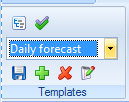
To remove a template, select it in the list and then click
on the  symbol.
To include the currently preselected series in a selected
template, click on  , and click on
  to change the name of the
template.
to change the name of the
template.